
From Jira to docs in minutes
Install. Configure. Let FastDoc handle the rest. Here's exactly how it works.
Get started in 3 steps
Install from Marketplace
One-click install from the Atlassian Marketplace. No configuration required.
30 seconds
Grant Permissions
Allow FastDoc to read Jira issues and write to Confluence. Data stays in Atlassian.
1 minute
Create Your First Doc
Pick a version or sprint, choose a template, generate. That's it!
2 minutes
Set it and forget it
Define a rule once. Documentation happens automatically every time.
Create an automation rule
Give your rule a name and description. Choose whether it applies to a specific project or all projects.
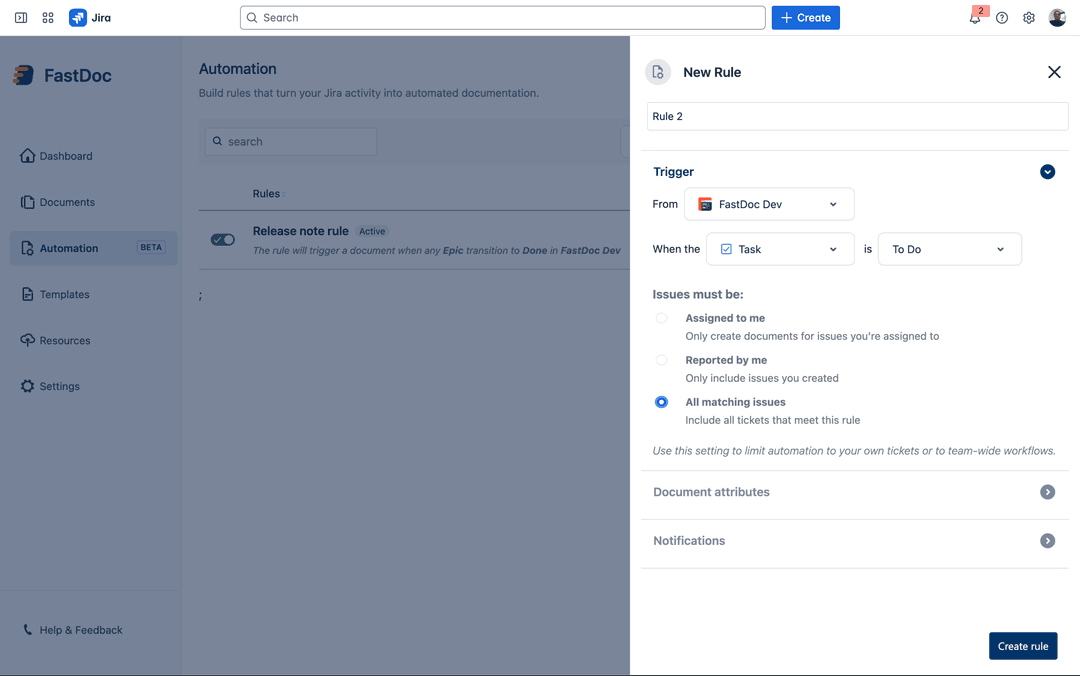
Set your trigger
Choose when documentation should be generated: version released, sprint closed, or issue status changed.
- →Version released → Release notes
- →Sprint closed → Sprint summary
- →Status changed → Change logs
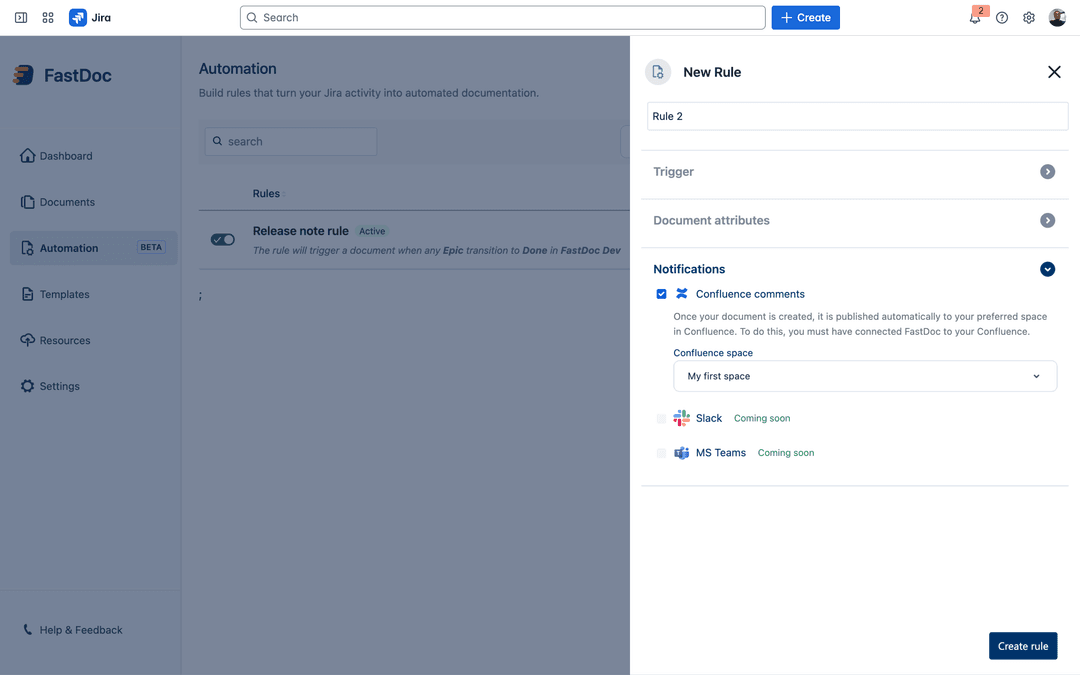
Choose template and destination
Pick from 7 built-in templates (or use your own). Select the Confluence space where docs should be published.
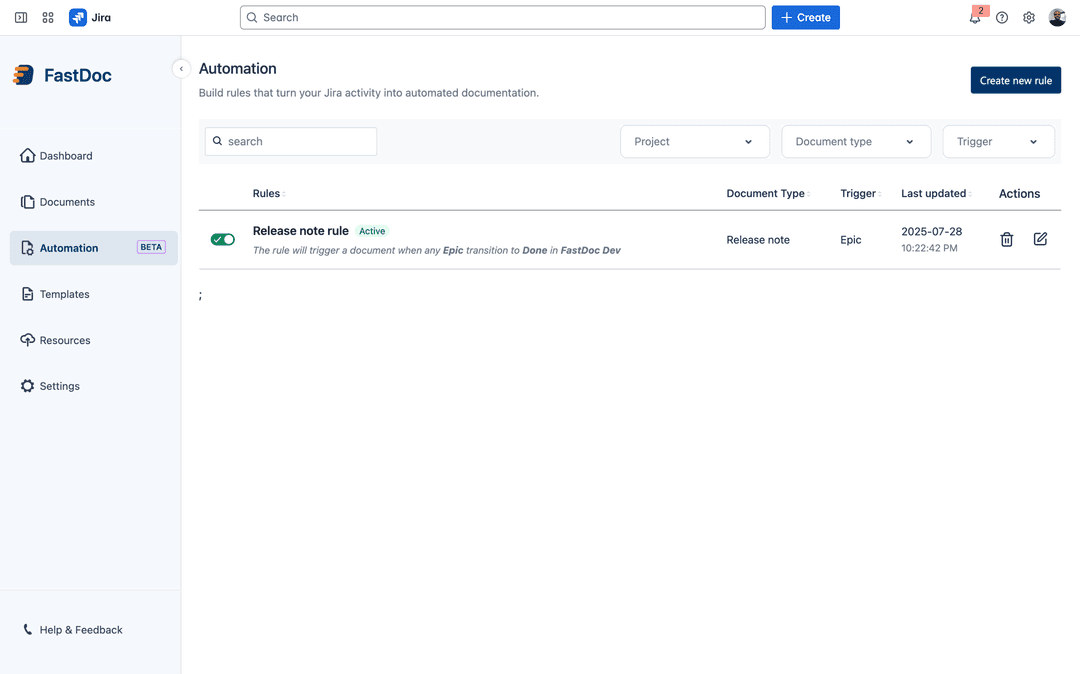
That's it. Documentation happens automatically.
Every time a version is released, sprint is closed, or status changes—your docs are ready in Confluence.
Or generate on-demand
When you need full control over what gets included.
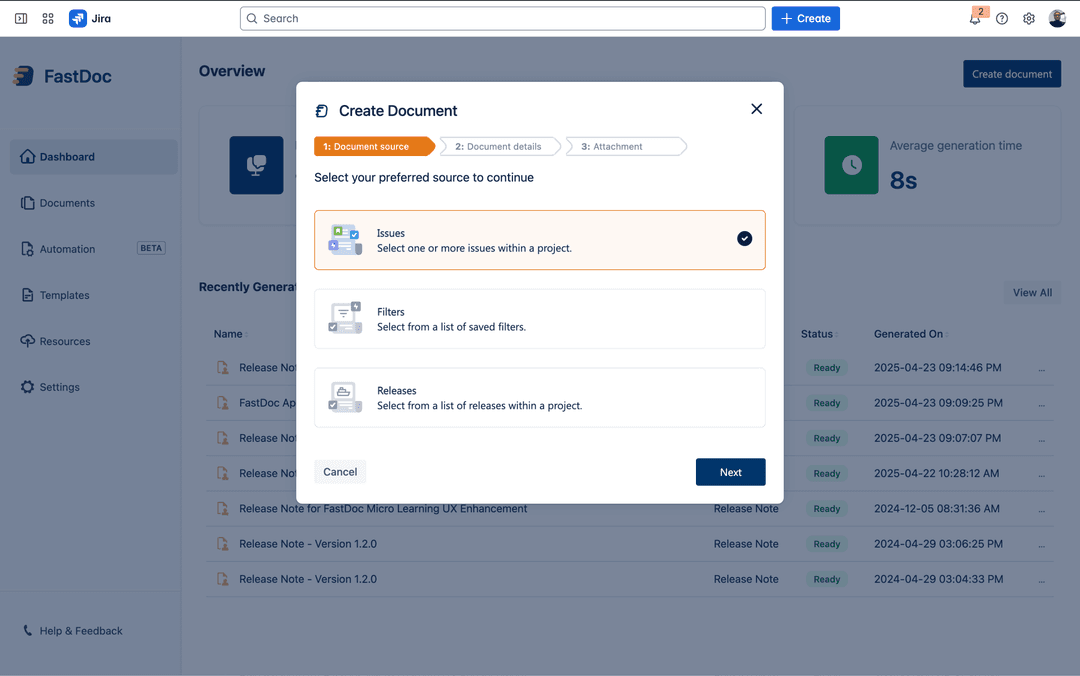
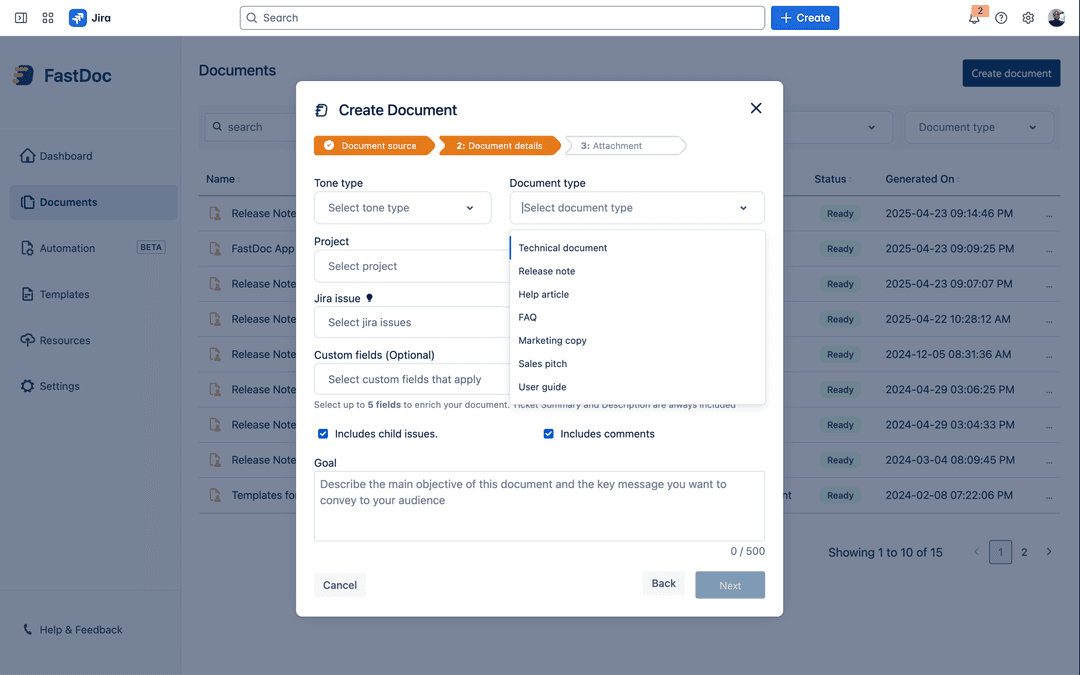
Select your issues
Choose from a project, version, sprint, or use custom JQL to filter exactly the issues you want.
Pick a template and configure
Choose from 7 built-in templates or your custom template. Select what to include: comments, subtasks, attachments.
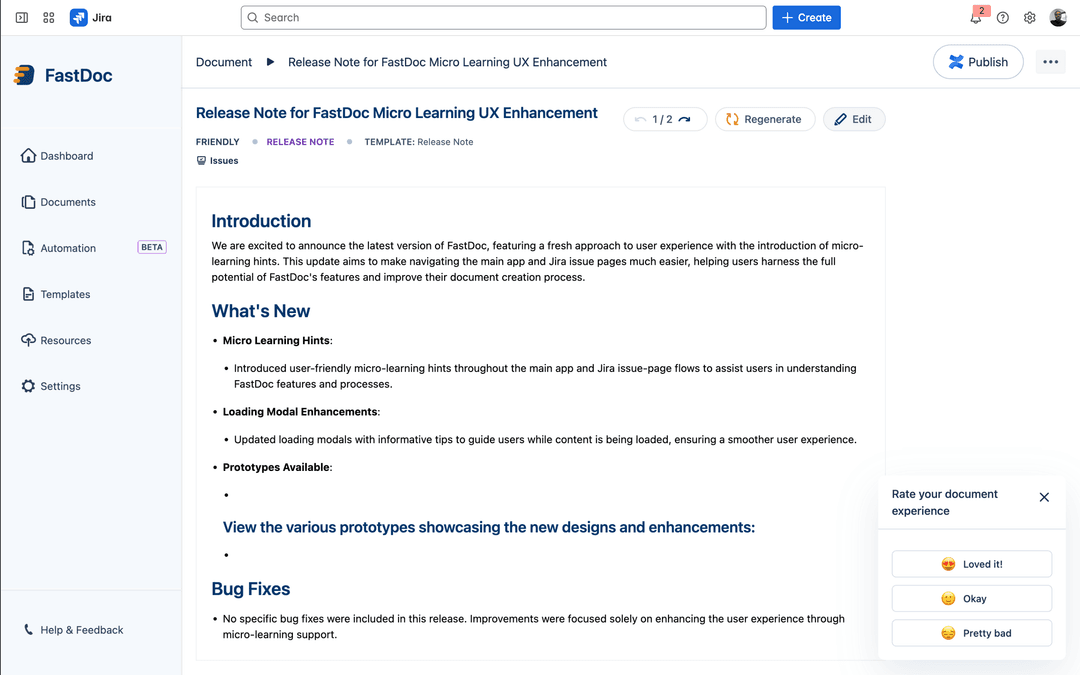
Review and publish
See the generated document, make any edits, then publish directly to Confluence with one click.
Power features
Customize FastDoc to match your workflow.
Custom Templates
Upload your own Confluence template. Every generated doc follows your format.
JQL Filtering
Use JQL to precisely select which issues should be included in your documentation.
AI Models
Choose between different AI models for generation. Balance speed vs. quality.
Traceability
Every doc links back to source tickets. Perfect for audits and compliance.
Multi-Project
Create docs spanning multiple projects. Ideal for cross-team releases.
Scheduled Runs
Set automation to run on a schedule in addition to event triggers.
Common questions
Can I use both automation and manual modes?
Yes! Use automation for recurring docs (like sprint summaries every 2 weeks) and manual mode for one-off needs or when you want to review before publishing.
Is my Jira data secure?
Absolutely. FastDoc is built on Atlassian Forge, which means it runs inside Atlassian's infrastructure. Your data is processed in real-time and never stored outside of Atlassian.
Can I use my own templates?
Yes. Upload any Confluence template and set it as the default for any document type. You can also create multiple templates for different use cases.
What if the generated content isn't perfect?
You can edit anything before publishing. Also, try adjusting which fields are included, add more issue details, or choose a different AI model for better results.
How much time will I actually save?
Most teams save 2+ hours per release and 10+ hours monthly. Use our ROI calculator on the homepage to estimate your savings.